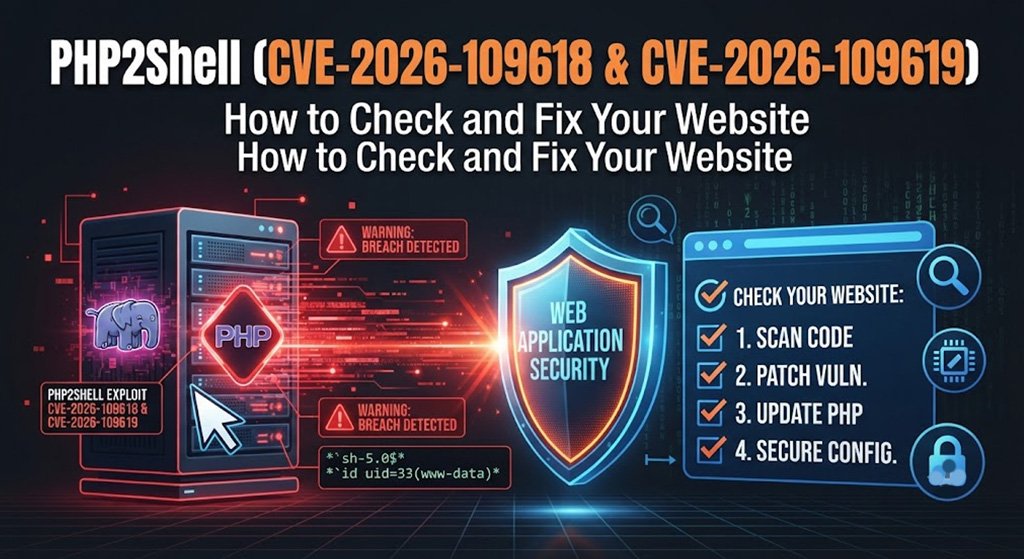
PHP2Shell (CVE-2026-109618 & CVE-2026-109619): How to Check and Fix Your Website
PHP2Shell in 60 seconds
In October 2026 the PHP project released emergency security fixes for two critical flaws, nicknamed PHP2Shell: CVE-2026-109618 and CVE-2026-109619. Both are rated 9.2 out of 10 (CVSS 4.0), and they can allow an attacker to run their own code on a web server without logging in. Public exploit code exists, and security vendors have reported real attack traffic.
If your website runs on PHP, and that includes WordPress, WooCommerce, Joomla and most custom-built sites, this affects you until the server is on a patched PHP build.
What are the two vulnerabilities?
- CVE-2026-109618, remote code execution through out-of-memory corruption. When PHP runs out of memory at the wrong moment, request data can be left half-initialised and then wrongly treated as valid during clean-up.
- CVE-2026-109619, remote code execution through stale global state. Internal data can survive after its memory has been freed, and a later request handled by the same worker can use it.
You do not need to understand the internals. The key point is that the weakness is in PHP itself, not in your theme or plugins, so having a "secure" WordPress setup does not protect you if the PHP underneath is unpatched.
Who is affected?
Every PHP installation that serves web requests and has not received the October 2026 fix. That covers Apache with mod_php, PHP-FPM, php-cgi, LiteSpeed and FrankenPHP. Setups using mod_php face the greatest risk. Researchers have also shown that memory from the PHP worker can be disclosed, which may contain passwords, tokens and API keys.
PHP 8.1 and older are no longer supported by the PHP project, so if your site is still on one of them you are relying entirely on your host to supply a backported fix.
The patched PHP versions
- PHP 8.5.12
- PHP 8.4.27
- PHP 8.3.36
- PHP 8.2.35
- PHP 7.4, 8.0 and 8.1: only limited source backports were published by the PHP security team
Hosting companies often apply the fix as a backport, which keeps an older-looking version number. So seeing "PHP 8.0" in your control panel does not by itself prove you are vulnerable, and seeing a number does not prove you are safe either. For example, CloudLinux lists backported cPanel EasyApache builds such as ea-php80 8.0.30-11 and ea-php81 8.1.34-4, and cPanel shipped its fix for ea-php74 to ea-php85 in EasyApache 4 25.91 on 21 October 2026.
How to check your website in 5 minutes
- Log in to your hosting control panel and note which PHP version your site uses (in cPanel: MultiPHP Manager or Select PHP Version).
- Contact your host and ask: "Has my server received the October 2026 PHP update for CVE-2026-109618 and CVE-2026-109619, and is the PHP version serving my site patched?"
- Ask whether a web application firewall such as Imunify360 or Cloudflare is active in front of the site. This is only interim protection, not a fix.
- If you are on a VPS or dedicated server, update PHP from your operating system or control panel, restart PHP-FPM or Apache, and confirm the running workers use the new build. The command line version of PHP can differ from the one serving your website.
How to fix it
- Update PHP. This is the only complete fix. On shared hosting your host does it; on a VPS you do it, or I can do it for you.
- Move off old PHP. If you are on PHP 8.1 or older, plan an upgrade to a supported version (8.3 or 8.4), after testing your site and plugins.
- Apply temporary hardening if you cannot patch immediately. Set session.upload_progress.enabled to 0 in the server or PHP-FPM configuration (not with ini_set or .user.ini), keep post_max_size and upload limits low, and on PHP 8.5 set fatal_error_backtraces to 0. Restart PHP afterwards. PHP itself says these measures do not make an unpatched server safe.
- Add a firewall. Cloudflare has deployed WAF rules for known exploit patterns, and Imunify360 has interim rules. Treat them as a seat belt, not a repair.
- If you cannot patch at all, the UK National Cyber Security Centre advises considering taking the affected system offline.
How to tell if your site was already hacked
There are no published indicators specific to PHP2Shell yet, so look for the general signs of a compromised PHP site:
- Pages or files you did not create, especially PHP files in uploads or cache folders
- New administrator users, or changed passwords you did not set
- Visitors redirected to other sites, or spam pages and strange titles in Google results
- Browser or Google warnings such as "Deceptive site ahead"
- Your host suspending the account or emailing about malware
- Unexpected scheduled tasks, or changes to index.php, wp-config.php or .htaccess
Because memory leaks can expose secrets, if your site was unpatched during the attack window it is sensible, after patching, to change hosting, database, WordPress admin and FTP passwords and to rotate any API keys stored on the server.
Already hacked? Use Website Rescue
If you find any of those signs, do not keep poking at the site. My Website Rescue service covers investigation, malware and backdoor removal, restoring from clean backups, closing the hole, rotating credentials, and getting Google and browser warnings removed.
Sources
Subscribe to My Newsletter
Get the latest articles on web design, SEO, and digital marketing delivered to your inbox.